Product
How Our Assessment Works (Step-by-Step)
Project Team
Nov 23, 2025
3 min read
Back to Blog
Here is a quick walkthrough of the physiotherapy assessment inside the app, so you know exactly what to expect before you begin.
1) Describe your symptoms
Enter your main symptom and any context (when it started, what makes it better/worse). This helps the AI tailor the assessment.
2) Upload a photo (optional)
If you have a posture or injury photo, you can attach it. The assessment works without a photo, too.
3) Get a structured plan
- Summary of what might be happening (non-diagnostic).
- Safety warnings (what to avoid).
- Daily exercises with clear instructions and images.
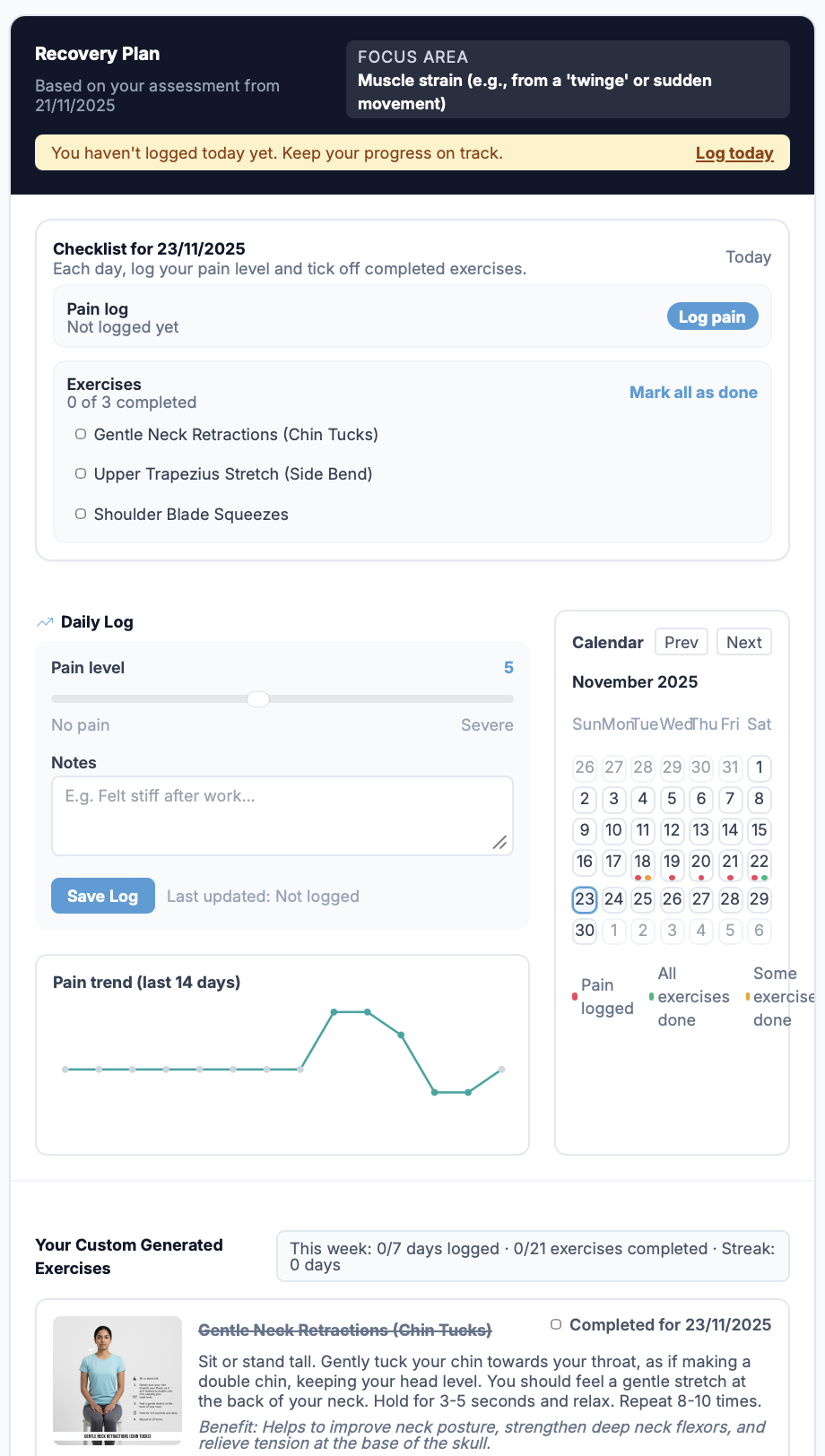
- Pain logging for each day and a calendar view to keep you on track.
Screenshot: Assessment page
Below is a snapshot of the assessment page showing the summary, safety warnings, and your custom exercise list. Use the daily log to record pain and notes, then tick off exercises in the checklist each day.
Disclaimer: This article is for informational purposes only and does not constitute medical advice.
Need a personalized assessment?
Our AI can analyze your specific symptoms and create a custom recovery plan.
Start Assessment